How a repair runs in SortX
One path for every repair. The tenant reports it, AI suggests the triage, your contractors are offered the job in your order, the landlord approves the spend and the invoice is checked before the repair closes. Your team steps in only to decide.
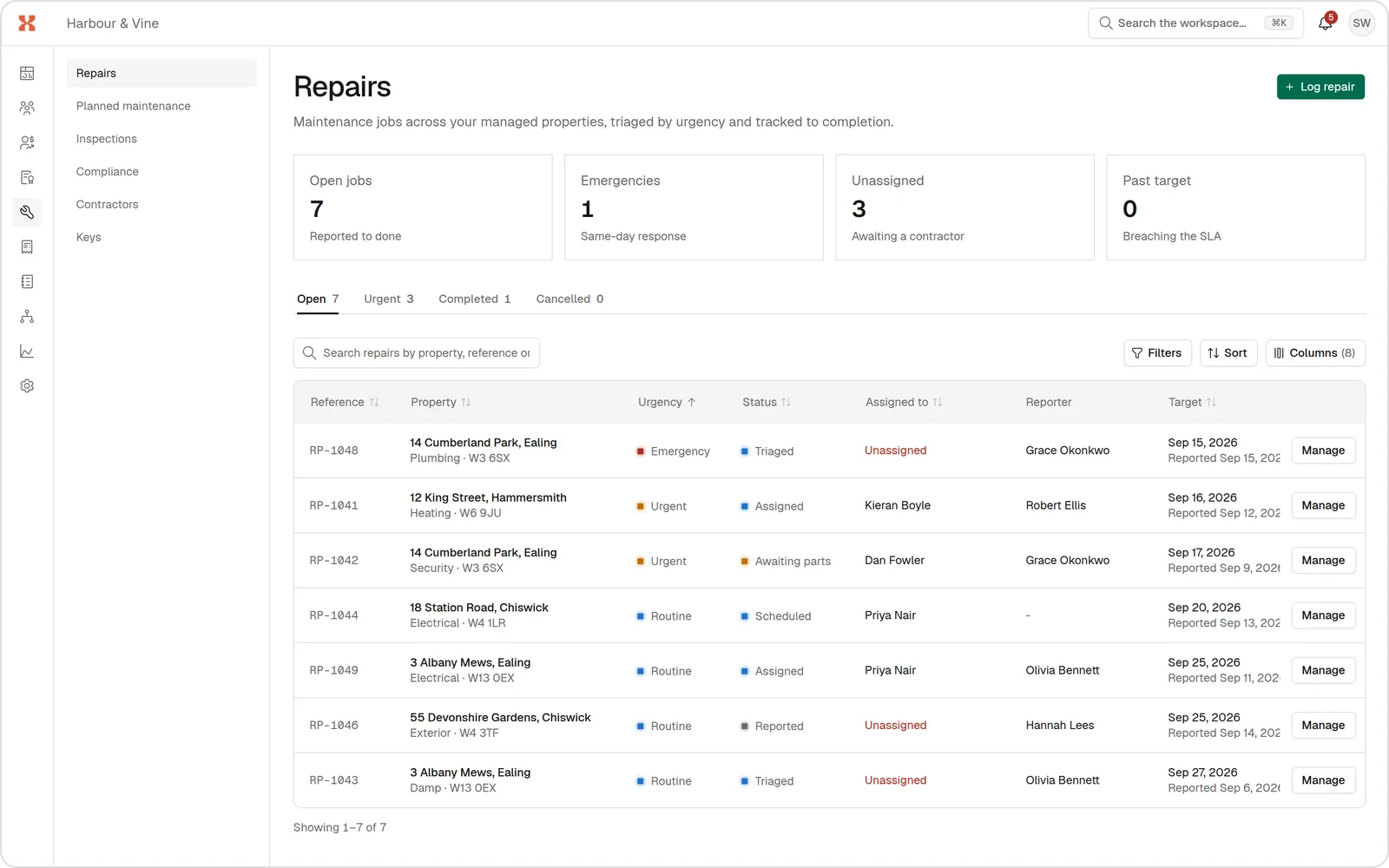
From the tenant's report to the paid invoice

1. Reported
The tenant opens your repair link and answers questions for that kind of fault. Or they ring, and the call is answered with AI.

2. Triaged
AI suggests a category and urgency, so emergencies stand out. Your team confirms or changes it.

3. Offered out
The job goes to your preferred contractors in order. If one declines or doesn't answer in time, it moves to the next.

4. Approved and closed
Quote, landlord approval and invoice on the repair. It can't close while the invoice is unresolved.


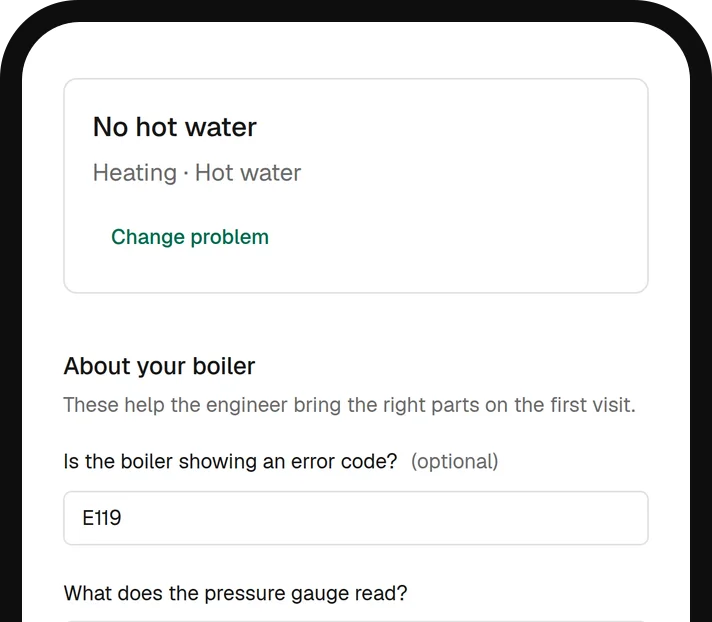
Reported from the tenant's phone
One link for every tenant. No app to download and no account to create.
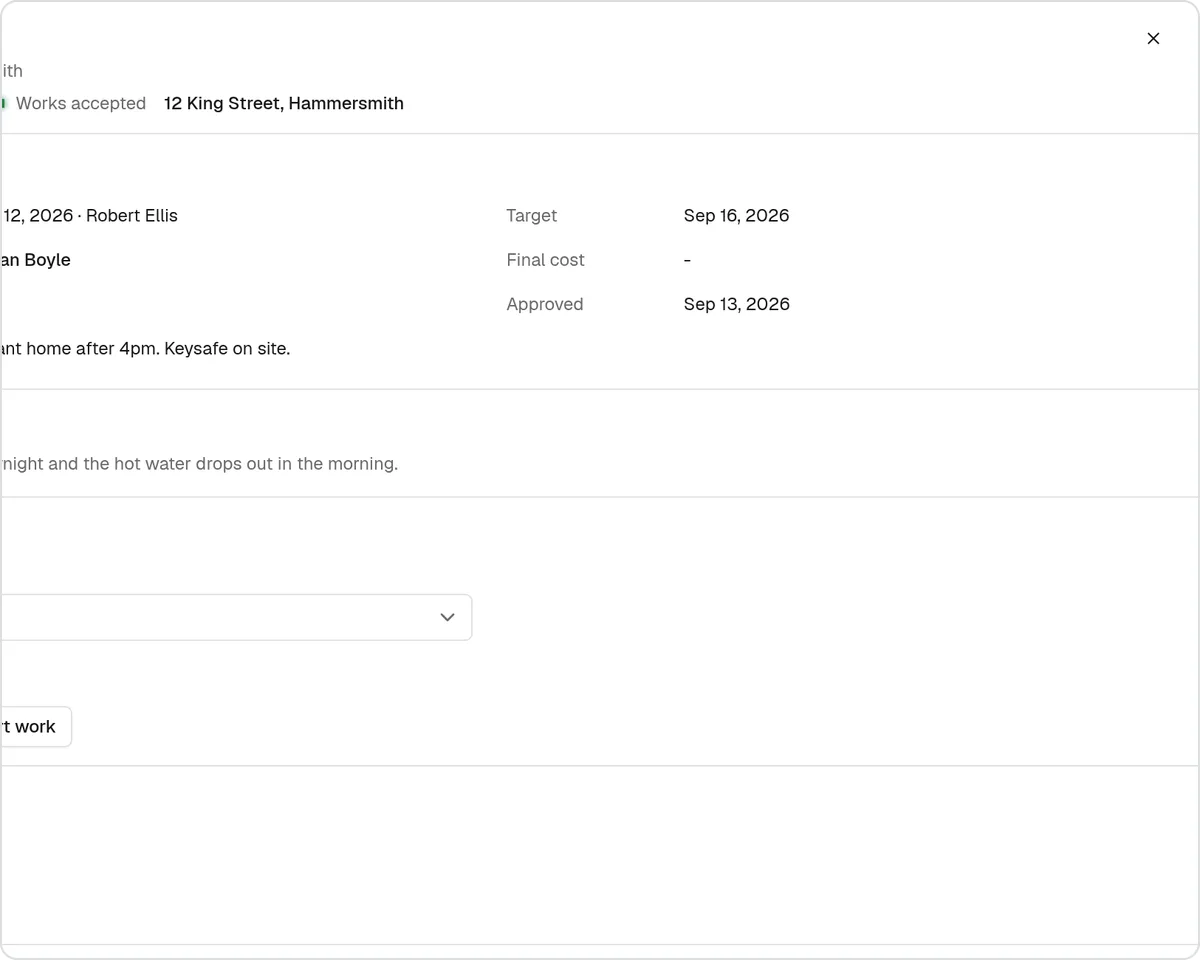
Every job, costed and accounted for
The repair, the quote, the landlord's approval and the contractor's invoice live in one place, so nothing is paid twice and nothing is closed with a bill outstanding.
Quotes and landlord spend limits
Record the quote, see it against the landlord's limit and record their approval on the repair.
Invoices checked before the job closes
A repair can't be closed while its contractor invoice is still waiting to be approved.
Emergencies go straight out
For a burst pipe, skip the queue and assign the contractor you trust in one step.
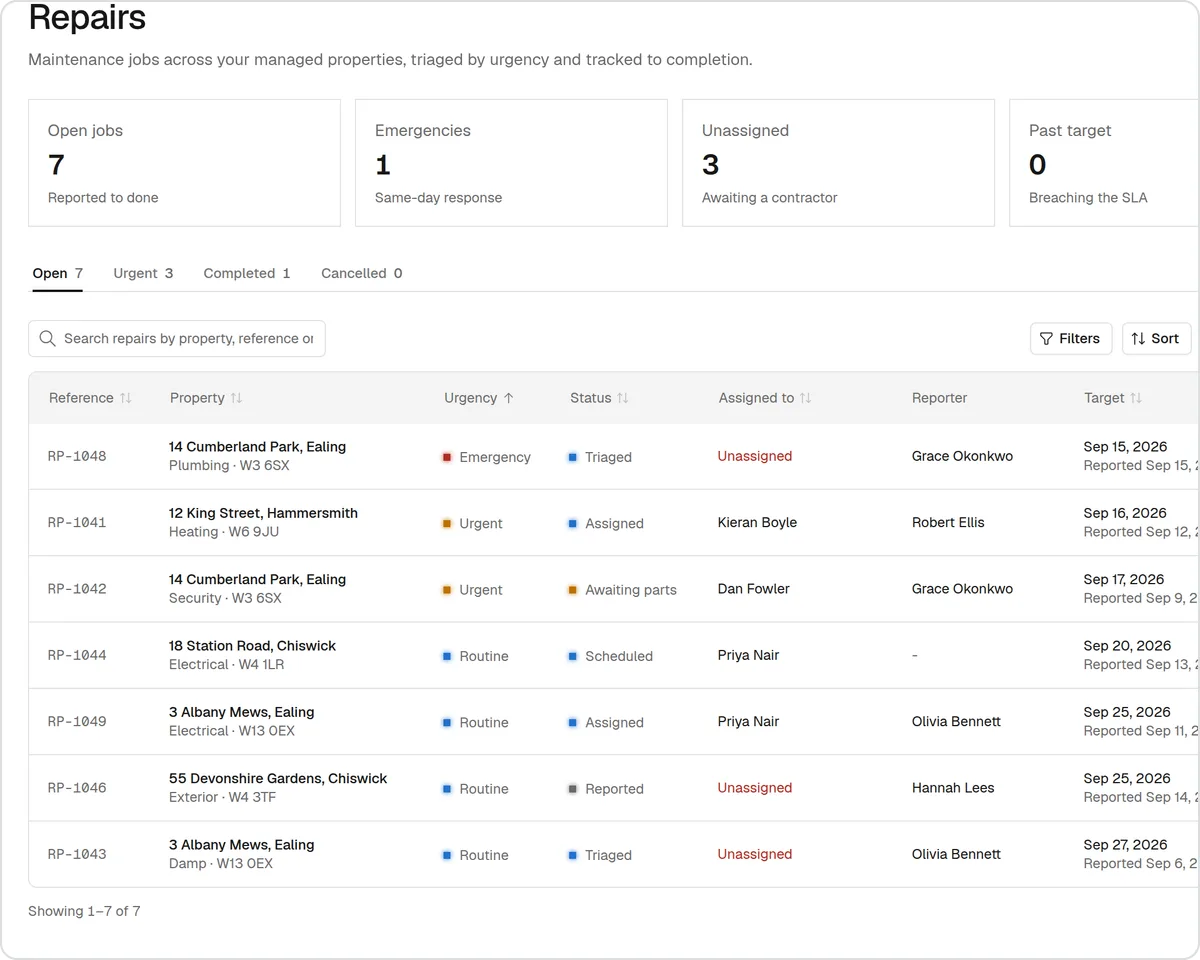
Where your team steps in
AI does the routine work: reading the report, suggesting the triage and moving the job along. These stay with people.
- Confirming or changing the category and urgency
- Choosing a contractor when it matters
- Approving spend against the landlord's limit
- Approving the invoice and closing the repair
Each stage, in detail

Repair reporting
Tenants report repairs from their phone with guided fault-finding questions, so the job arrives with what a contractor needs.
Find out more: Repair reporting
AI phone calls
Repair calls to your agency's number answered with AI, day and night. The repair is taken down onto the property for your team to triage.
Find out more: AI phone calls
AI triage
Every report gets a suggested category and urgency with AI, so emergencies stand out. Your team confirms or changes it.
Find out more: AI triage
Contractors
Jobs offered to your own contractors in your order, moving on when one doesn't answer. They accept in one click from their portal.
Find out more: Contractors
Approvals and invoices
The quote, the landlord's spend limit and approval, and the contractor's invoice on the repair. It can't close with the invoice unresolved.
Find out more: Approvals and invoices
Switching from Fixflo
How moving your properties, contractors, repair link and calls across to SortX works.
Find out more: Switching from Fixflo
Taking repairs this week
Set it up once and every repair follows the same path.
- 1
Bring your properties across
Paste or upload your addresses. A repair is always logged against the right property.
- 2
Add your contractors
Their trades, areas and insurance, and the order you'd like them offered work.
- 3
Share your repair link
Add it to your website, emails and tenancy welcome pack.
- 4
Decide, don't chase
Reports are triaged and offered out, and you step in when something needs a decision.
Questions agents ask
We use Fixflo today. Can we move across?
Yes. Tenants report through your repair link with guided questions, each repair gets an AI-suggested category and urgency, jobs go to your own contractors through their portal, and the quote, landlord approval and invoice sit on the repair. Book a demo and we'll walk through how your current process would move across.
Does the AI make decisions for us?
No. AI suggests the category and urgency, and your team confirms or changes it. People choose the contractor when it matters, record the landlord's approval, approve the invoice and close the repair.
Do tenants need an app or an account?
No. They open your repair link on their phone, answer the guided questions and send it. The repair is logged against their property.
Do our contractors need to pay for anything?
No. They sign in to the contractor portal with a one-time code sent to their email, see only the jobs you've offered them, and upload photos and invoices there.
Do you hold client money or pay contractors?
No. You pay contractors from your own account, as you do now. SortX records the quote, the approval and the invoice, and won't let a repair close while its invoice is still unresolved.
Can we bring our properties and contractors across?
Yes. Paste or upload your property addresses, add your contractors with their trades and insurance, and you can be taking repairs the same day. If you ever leave, you can download your data.
How much does SortX cost?
Three monthly plans, Essentials, Pro and Ultimate, each with unlimited homes and team members, no contract and no VAT added. See the pricing page for what each includes.
Who is SortX for?
UK letting agents and property managers who handle repairs for landlords, from a one-branch lettings office to a property management team with its own contractor list.
See a repair go from report to paid invoice
Book a demo and we'll walk through a real repair in SortX: the tenant's report, the AI triage, the contractor's offer, the landlord's approval and the invoice.
A walkthrough with the SortX team, built around how your agency handles repairs today.